Sales & customer care
Quotations, orders, pricing and credit terms.
ERP BUSINESS SUITE / ASHA TECH
Connect sales, purchasing, inventory, production and accounting from order to delivery, giving managers visibility and teams a clear handover.
Custom design and development · Requirements first, then an estimate
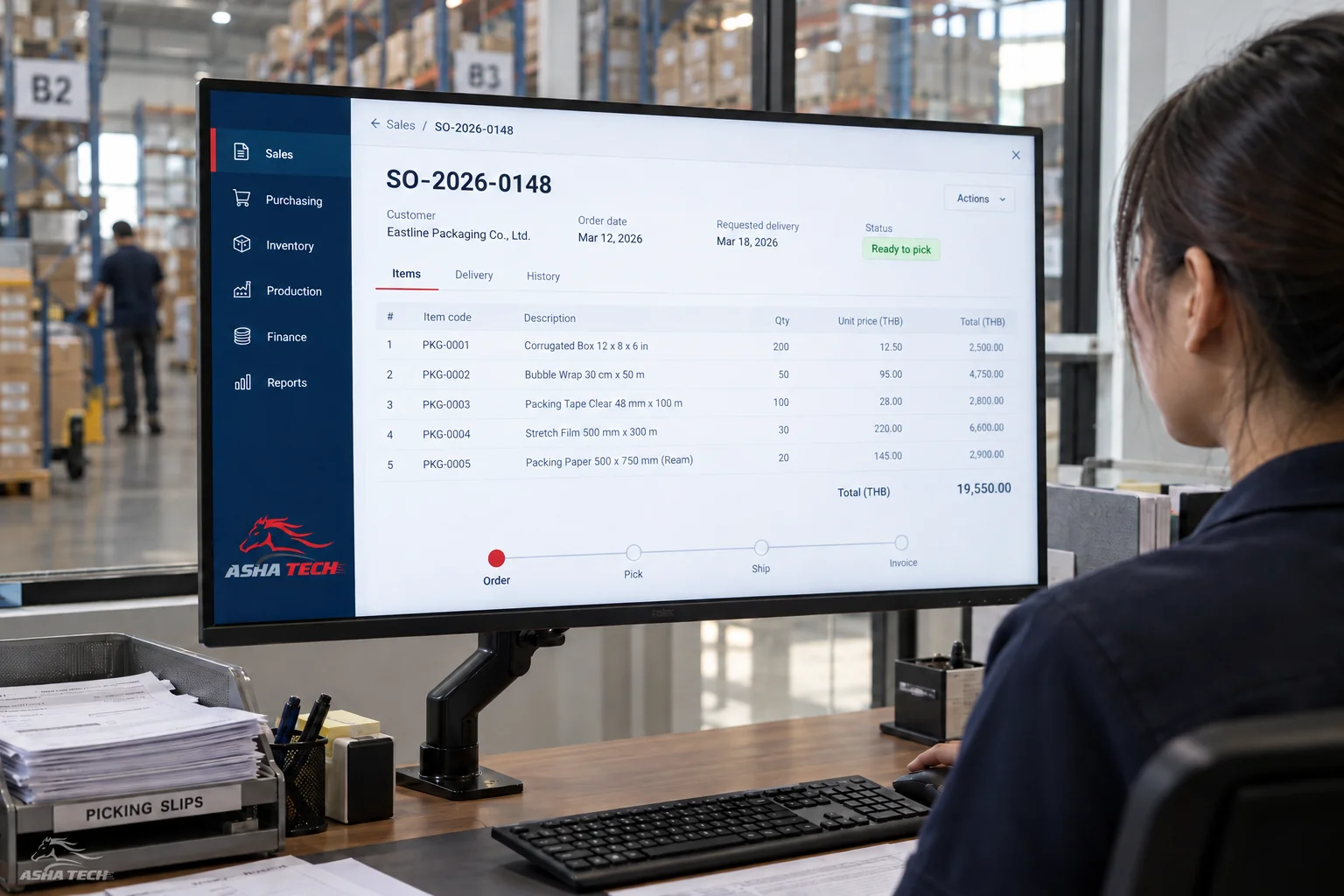
Sales documents reference products and warehouses, with sales amounts kept separate from payments received.
Work the system can support
Choose what your team needs
and plan connections that can grow.
Quotations, orders, pricing and credit terms.
Requests, quote comparisons, purchase orders and receipts.
Reserve, issue, transfer, count and track lots.
Plan materials, production tasks and quality checkpoints.
Connect documents, receipts and payments for accounting.
Approval sequences, change history and role-based views.
See the workflow before development
Sales, warehouse and accounting work from the same document reference.
Start with essential work, then add modules as your data and team are ready.
Sales specifies products, quantities and dates.
The warehouse checks stock and sends needs to purchasing or production.
See delivery, document and payment status.
Start with your work
Tell us what you use today and the result you want. We help define scope, screens and steps before estimating time and budget.
Discuss ระบบบริหารธุรกิจ ERP ↗Discuss → Design screens → Develop & test → Prepare for use
Migration, training and post-delivery support are agreed in the project scope.
Before you decide
No. Start with a clear problem and a complete data journey, such as sales–warehouse–purchasing, then extend as you are ready.
This page illustrates the systems we can design and develop. Actual features, screens and connections depend on the agreed scope. Images are newly created concepts, not client-system screenshots, and do not connect to real devices.
We assess processes, users, data and integrations before agreeing scope, price and timing with you.
Extend it around your work
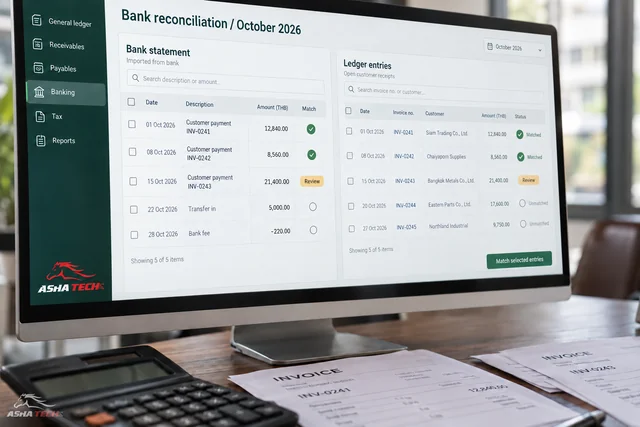
Understand income, expenses and every balance
Explore the details ↗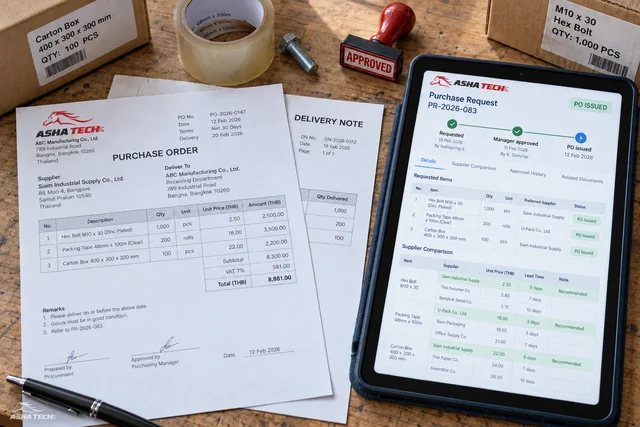
From request to receipt, know whose action is pending
Explore the details ↗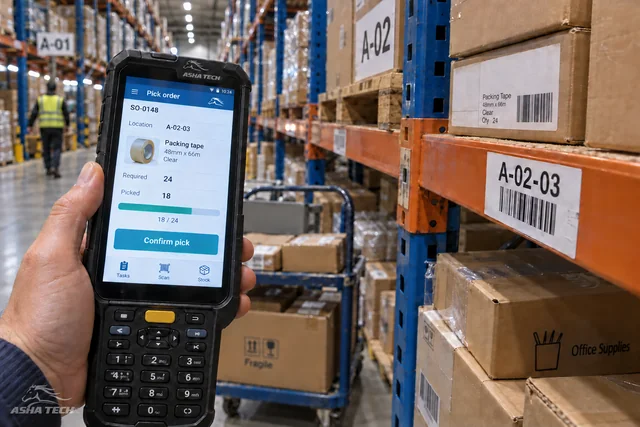
Know where stock is and how much is available
Explore the details ↗Start with your idea
Have an idea or a task a system could help with? Tell our team—no technical vocabulary needed.